 Spectral Web Services
Institutional access to Ghost now included with SWS Tools!
Sell access to Ghost-hosted content to university libraries, without making thousands of accounts or fussing with PII data.

This is a Core+ feature for subscribers to Spectral Web Services Tools.
Now available as part of your Spectral Web Services Tools subscription: IP-based institutional access!
This is a great option for Ghost site owners who want to sell access to paywalled content to academic/university libraries, large companies, and other larger clients, where individual accounts are not needed or desirable.
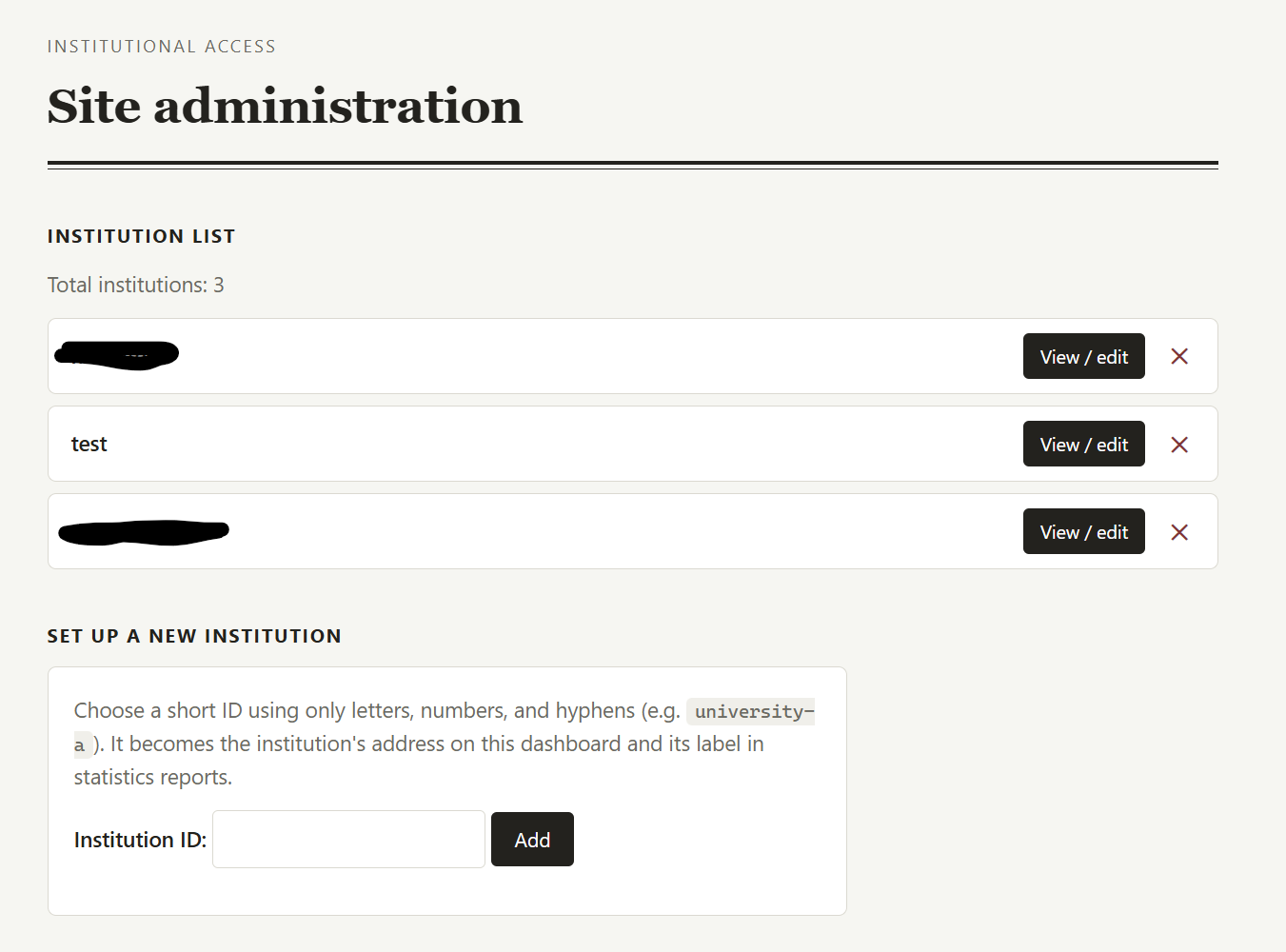
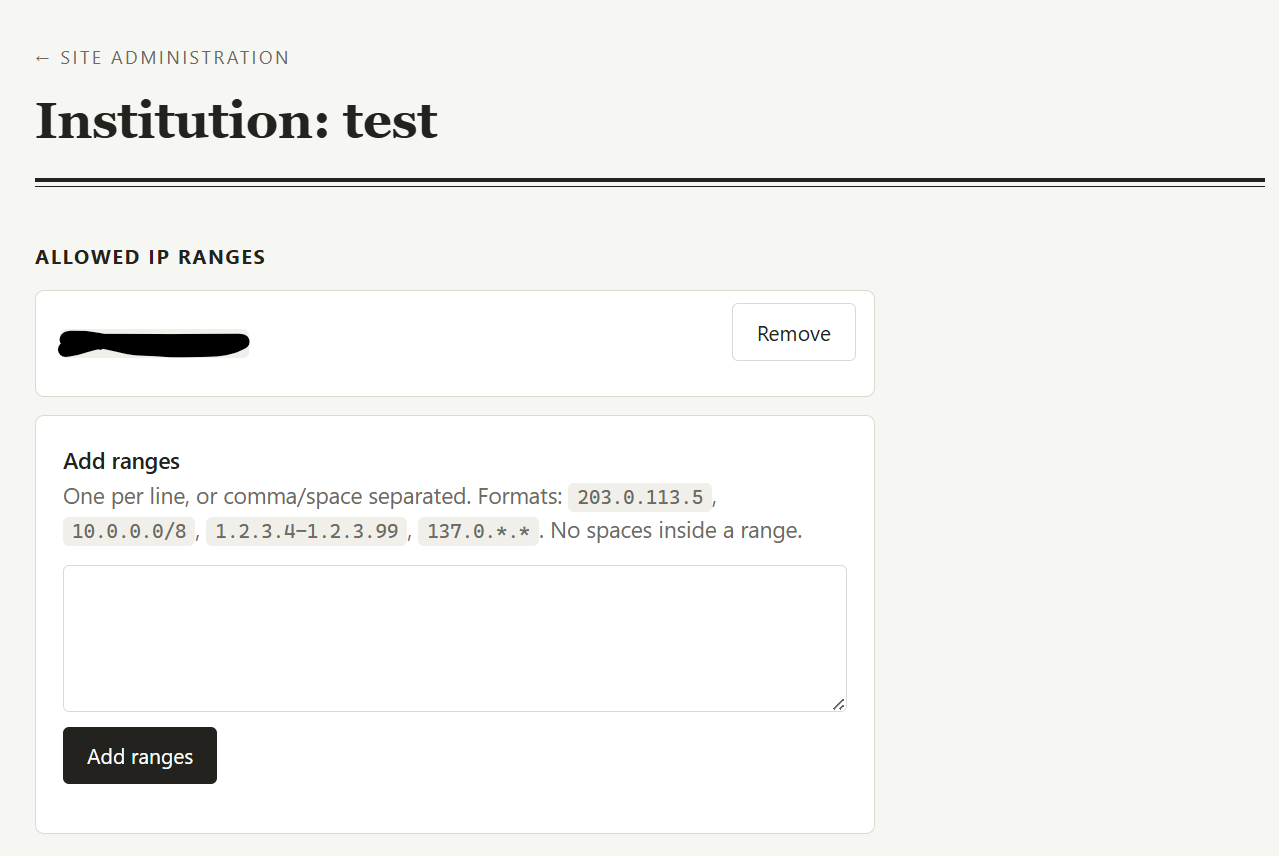
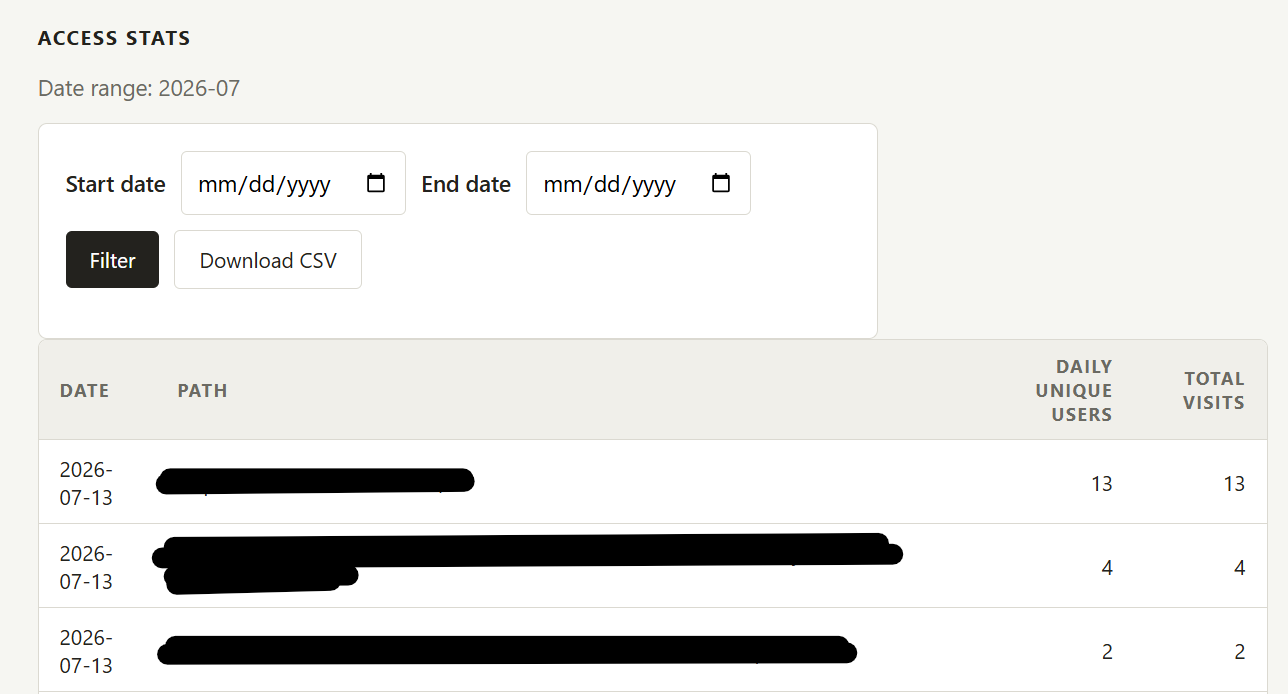
A view of the site management screens. Access stats are per-institution, so you can report their usage on request.
What to know:
The institutional access is done by accessing Ghost as a paid user, and serving those paid-user results to anyone whose IP address matches a set of whitelisted IPs.
Visitors from the institutional customer do not get separate accounts. They connect through their institution's proxy (from anywhere, if the institution has it set up that way), or by being at the institution and on their network.
Ghost has no information about the institutional visitors. This is often desirable for universities, who won't want to share student data with you, while still wanting their students to get access.
Because Ghost doesn't have institutional user data, the default setup does not support newsletter sign-ups. [But let me know if you need to make that possible. I've done it, it just isn't my default.]
If your site uses Ghost's native comments, be aware that institutional visitors won't be able to comment (although comments can still be visible on the site if desired).
Non-institutional users continue to access your site exactly as they do now. Nothing changes for them, and we don't proxy their requests.
Institutional access services go through Cloudflare. We don't see user-noticeable changes in load time by adding the institutional access. Your site will still look great and load well!
Your site management dashboard (not part of Ghost) gives you the ability to add or remove IP addresses, as well as (somewhat basic) logging of which institutions are visiting and what pages they're accessing.
How it to get started:
First use:
- Sign up for a tools subscription at the "Core" or higher tier.
- Email Cathy with the desired subdomain to be used for institutional customers. (i.e. https://access.yourdomain.tld)
- Add a couple of DNS records (with the directions we send you)
- Create a Ghost user with complimentary access to the paywalled content. (Whatever tier you want to sell.)
- Share your IP address, so that we can set you up for a test view.
- Most sites need a small amount of proxy customization. We can take care of the following for you, or if your configuration needs are more extensive, we'll let you know if an additional setup fee is needed. Here's a list of common needs:
- Hide account management buttons (theme-specific)
- Add a visual indicator that institutional access is on (if desired).
- Disable Portal and Outpost scripts for institutional users, since member management isn't relevant here.
- Rewrite urls for Ghost's native search (default) or SWS search (on request) so that results correctly link to the institutional access site
For each new institutional subscription:
- You handle billing for your institutional clients. (Most universities will want an invoice, forms, etc.)
- Your institutional client tells you what IP ranges need access, and you enter those in your dashboard. If it's an academic library, ask them what proxy system they use for journals, and encourage them to use it for accessing your site. We have multiple institutional clients-of-clients using EZProxy, which works well and is easy to set up, but any proxy access system is fine. For other organizations, you could list their whole IP block, but it's often easier to manage a single proxy IP if they have one for other types of access already.
- Your tell your institutional clients to access your site via the subdomain. They make some entries for it in their catalog and/or proxy system.
FAQ
Does it work on Ghost Pro?
Yep! We don't proxy your normal URL, so nothing changes at Ghost Pro or wherever you host.
I'm a self-hoster and blocking a bunch of traffic. What do I need to know?
The institutional access worker comes from Cloudflare. If you have a really aggressive block on CF, we'll probably need a minor tweak to let this traffic through.
I want to ask institutional readers for donations and/or let them sign up for my newsletter. Can I do that?
Yes, but please let me know that during the setup process, as it's not my default and may need a little custom work.
Does it work with search?
The issue here is that search results need to NOT go back to your main site, and many search platforms serve full urls that I need to intercept.
Ghost native search: Yes
Spectral Web Services search: Coming soon! (... as soon as someone wants it.)
Other search platforms: Happy to work it out with you!