 Spectral Web Services
Why does my Ghost site say "thoughts, stories, and ideas"
...and how do I get rid of that?
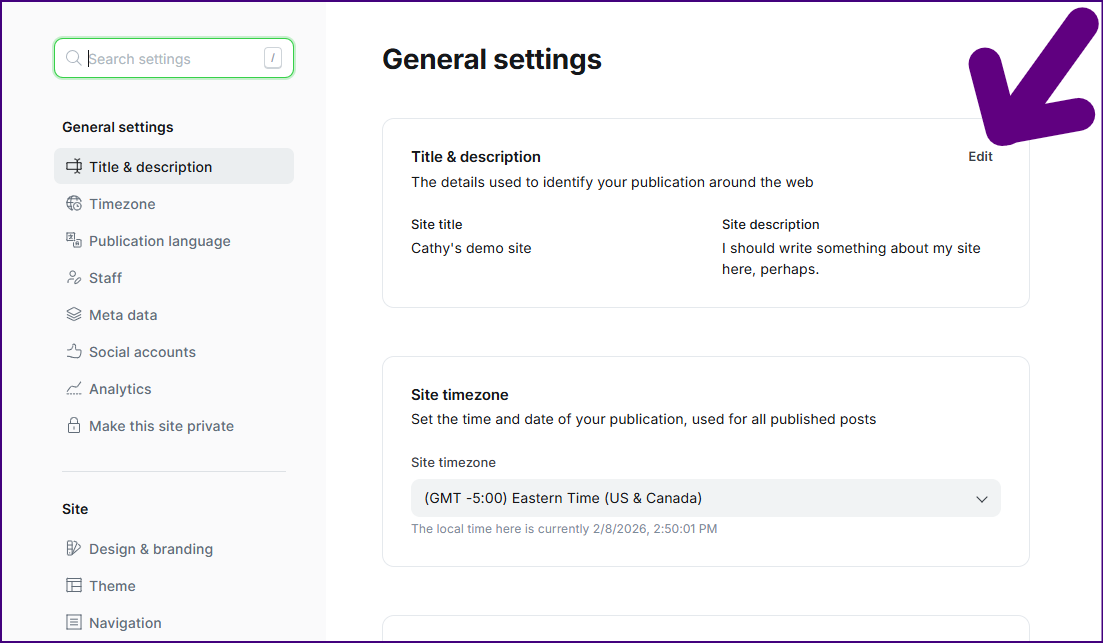
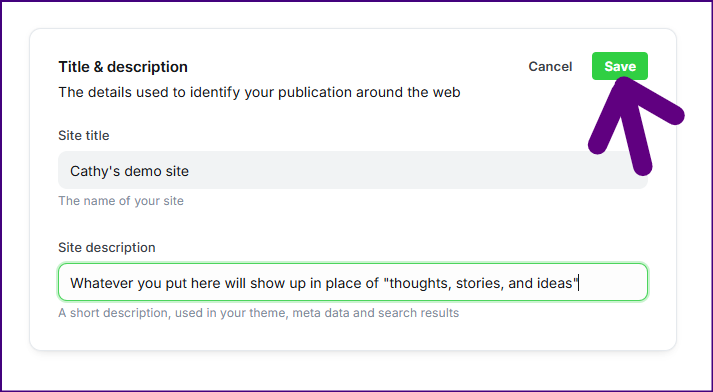
Welcome to Ghost! A common question is "How do I make that 'thoughts, stories, and ideas' text go away?" The answer is in your site's configuration settings. Let's dive in and change it!
TL;DR: /ghost > settings ⚙️ > title & description
Step 1: Navigate to your Ghost dashboard.
The quickest way to get to your dashboard is just to head over to yourdomain.tld/ghost (or your-ghost-subdomain.ghost.io/ghost). That'll get you to the Ghost dashboard. (You'll often see me refer to it as /ghost on this blog.)
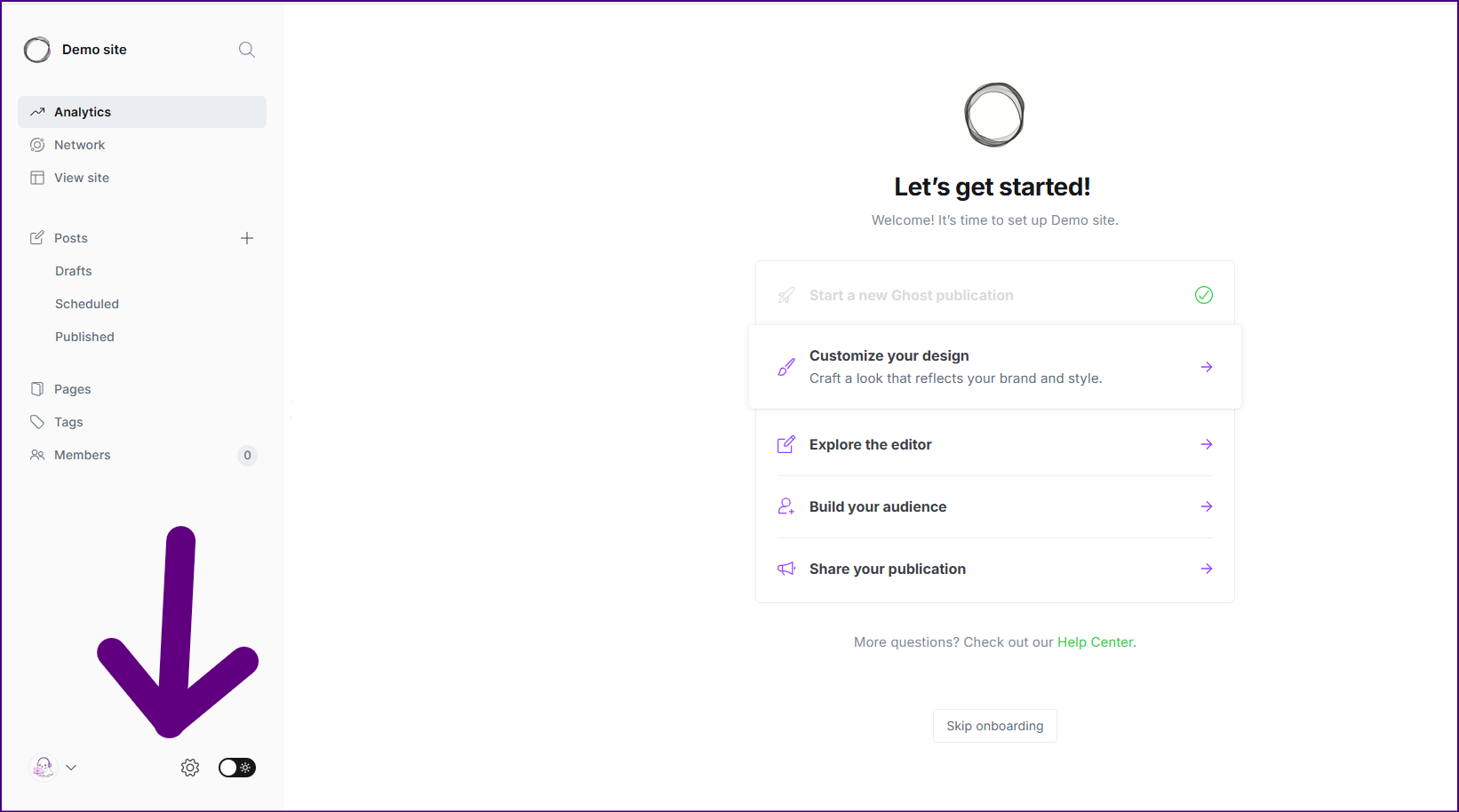
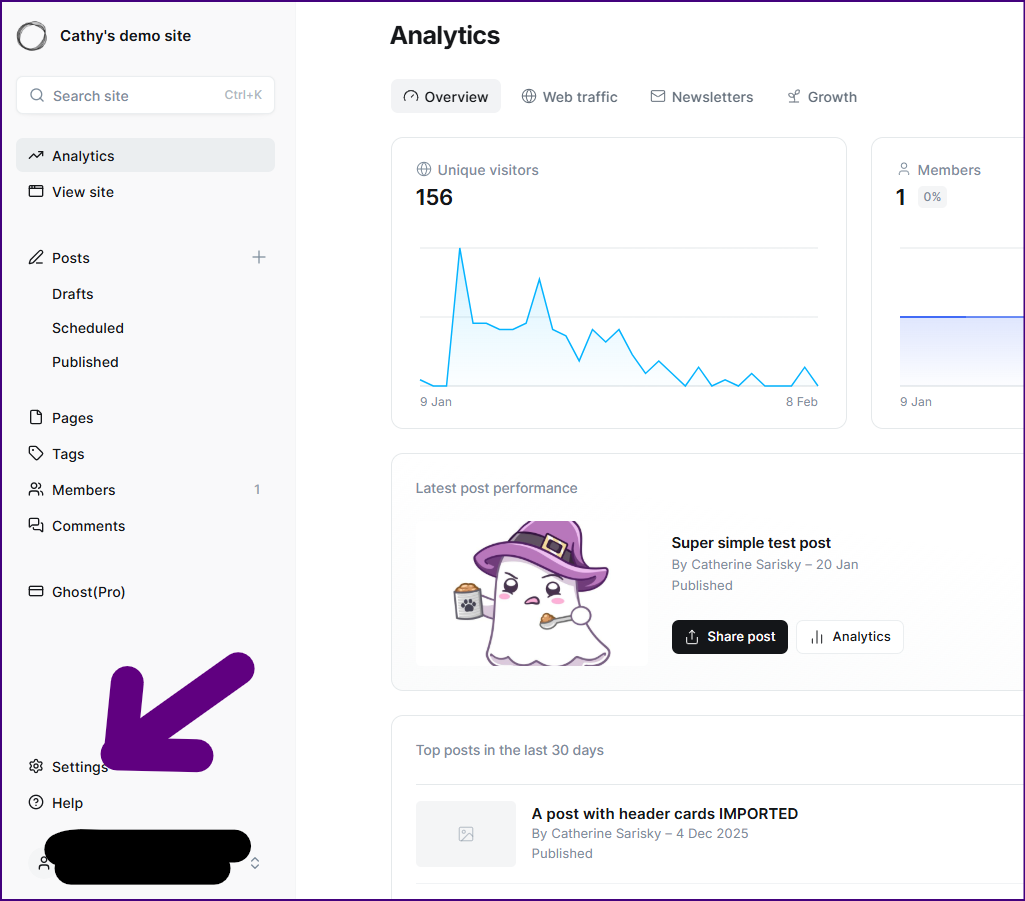
Step 2: Open the Settings menu ⚙️.
I'm showing two different versions, because the Ghost dashboard just had some changes. One of these two sidebars should match your Ghost install!
Step 3. Click "edit" next to "Title & description"
Step 4. Make your changes, then click "Save"
Hey, before you go... If your finances allow you to keep this tea-drinking ghost and the freelancer behind her supplied with our hot beverage of choice, we'd both appreciate it!