 Spectral Web Services
Haunts part 1 (adding a source)
How to get your site's calendar populated and looking great!
Want to get started with Haunts, the community events calendar for publishers? Head on over to https://gethaunts.com.
How do I (the curator) get sources onto my calendar?
- Our goal is to make calendar generation automatic. We want to read sources of community events and get them onto your calendar with minimal or no intervention on your part, once configured. But to do that, we have to find the sources!
- You hopefully already know (or can do some research) to find out who puts on events in your area that you're interested in including.
- Once you have some momentum and a well-filled calendar, remaining sources will (hopefully) start asking you to include them. Thus, our initial goal is to get the calendar looking like a useful resource, to encourage additional sources to want to be included and to be cooperative in making their events accessible to Haunts, if they are not currently.
- Some sources may be initially difficult or impossible. Start with the easy ones.
Adding a source
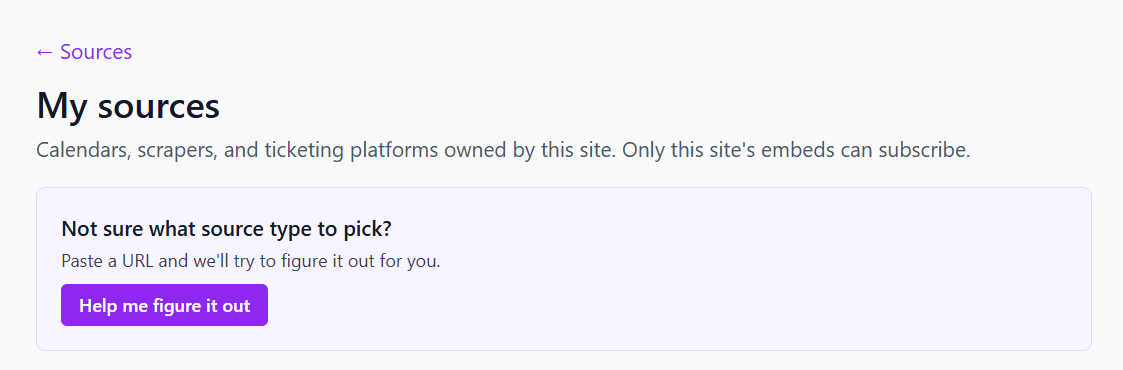
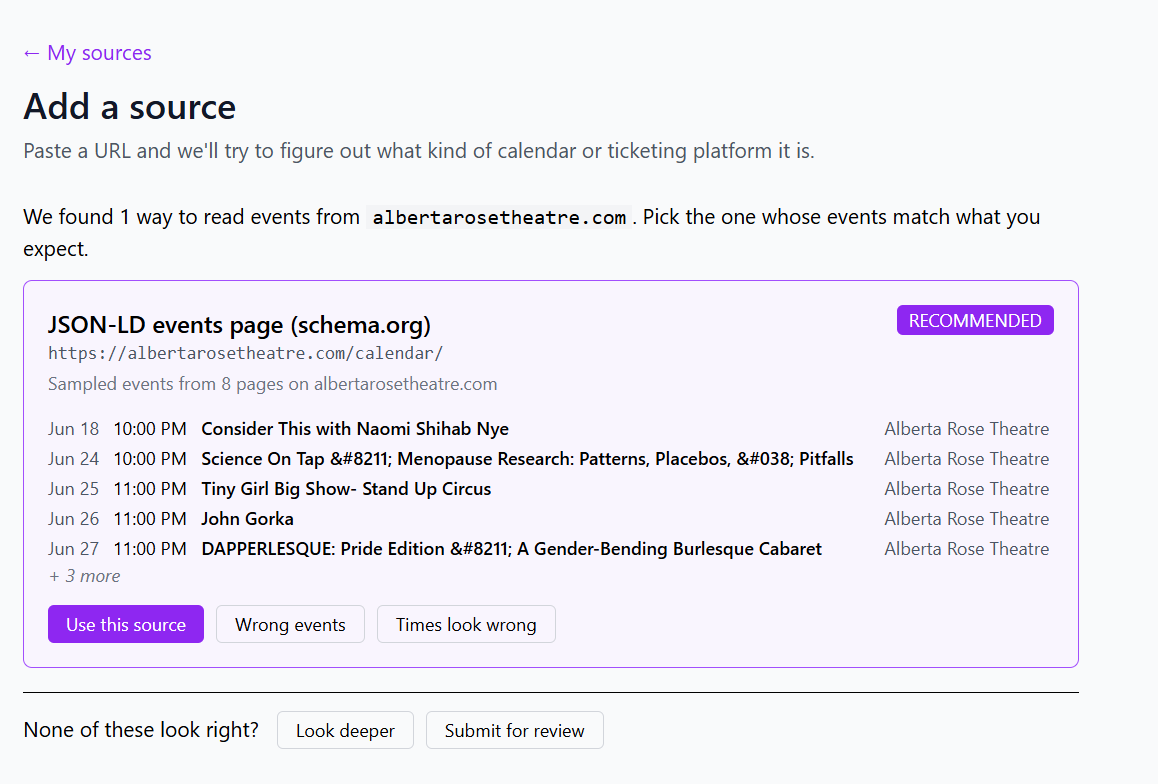
Use the auto tool! With luck, it will identify the source for you!
What if the auto-tool can't identify and configure my source?
- Sometimes, the human-visible calendar is not the best source (i.e. if a human built it by hand as unformatted – but pretty – text). If it's a high-value and high volume source, a little internet research to see where else their events appear may be worthwhile. Are the events also listed somewhere else? For example, are these events also in Ticketmaster, or a Meetup group, or Eventbrite?
- If it's a low volume source, is it worth just adding their events by hand? If a source has two events per year, maybe you just add them using the event submission form, or maybe you maintain a Google calendar where you add any events you want to add, and you add that Google calendar as a source. (Adding events to Google calendar may be faster than submitting them via the form.)
- Ask the source!
- It's possible that they actually do have a readable feed that just isn't obvious or we just haven't found.
- Or it's possible that whoever takes care of their website can turn on a readable feed with a couple clicks. Ask for an ICS feed.
- If someone is regularly submitting events via the form, consider some outreach. It would be faster for them and MUCH faster for you if they put their events on a calendar and shared that calendar link with you. [This assumes you don't want to pre-approve their events.]
- Events that fail the auto-tool can be submitted for further investigation. My priority will be sources with many events (because a single annual event can just be added manually) and sources that are going to be generally useful (i.e. a common CMS/calendar system used by many organizations that will help many curators).
What happens after I add a source?
Changes are typically live in 2-10 minutes, depending on source type. Sources are checked for new and updated events once daily.
(more to come!)