 Spectral Web Services
Haunts part 2: Categories
Get categories on your events, so your members can filter for just what they want.

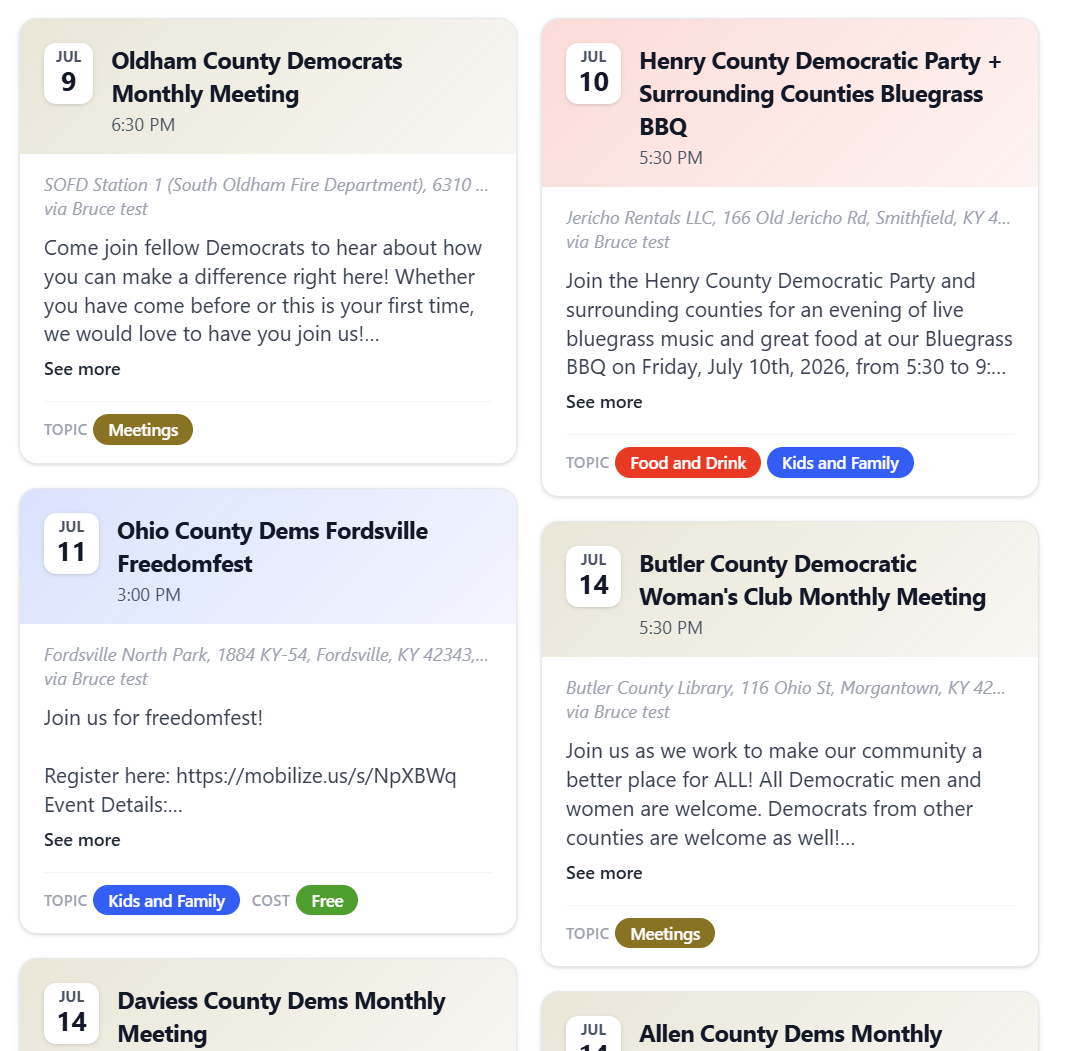
To make your events filterable by category, you'll need some categories! I recommend clicking the color splot next to each one and setting a dark color, which will be used in dark form for the filter buttons and in faded form for decorating your event tiles.
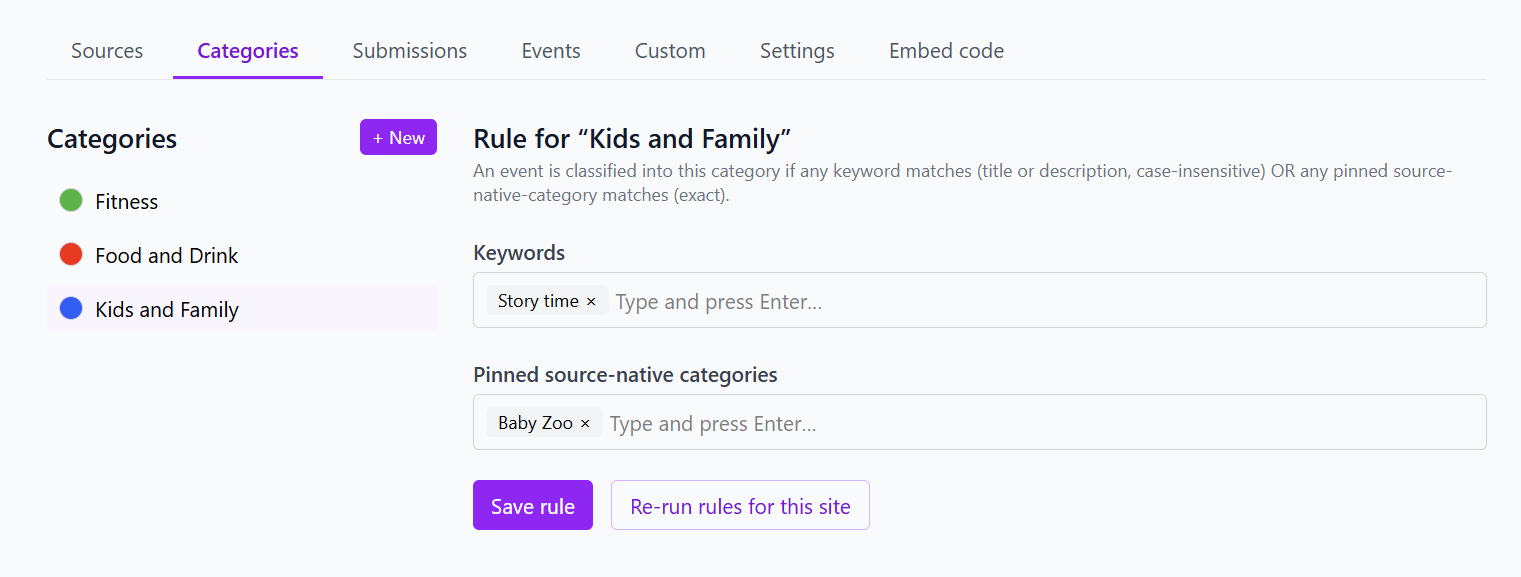
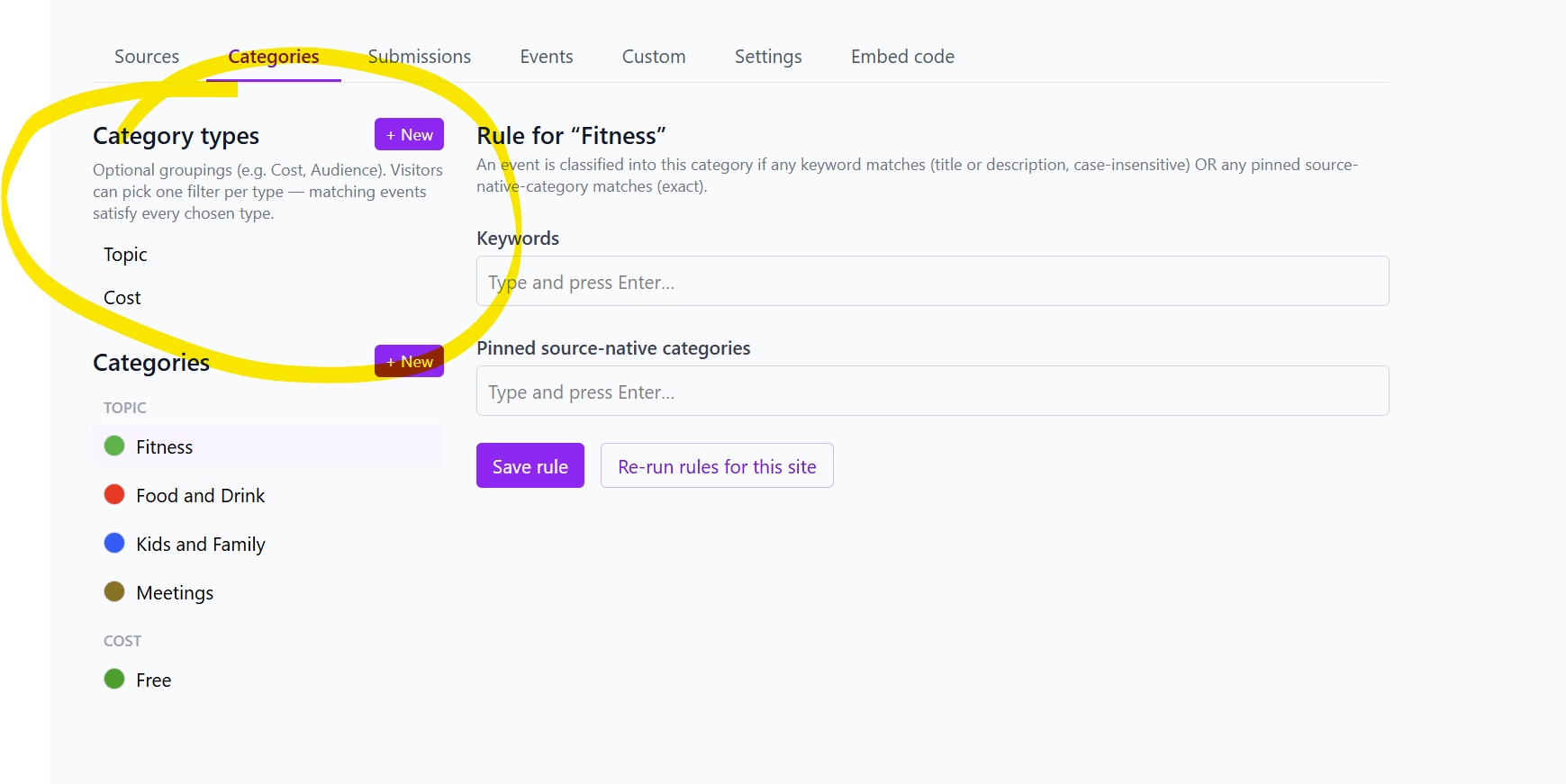
You can use the rules to avoid AI usage. The keywords category looks for text that matches your keywords. The "Pinned source-native categories" will match an ICS feed that has categories. If you have a source already categorizing events, mapping to your category names can save time and improve accuracy!
If AI categorization is enabled, and no rule matches, your event will be submitted to AI for categorization. The AI can only choose from your categories (or choose not to categorize), so having a fuller set of categories may improve your results.
Update: Categories now have types! ✨
Giving your categories a "type" will allow visitors to filter for multiple categories at once, for example, if they want to see kid-friendly events that are free.
Note: AI categorization will rerun overnight if categories have been changed. Or if you're in a rush, you can hit the refresh button next to a specific source, in which case those changes will be live in 5-10 minutes.