 Spectral Web Services
Customizing theme text in Ghost
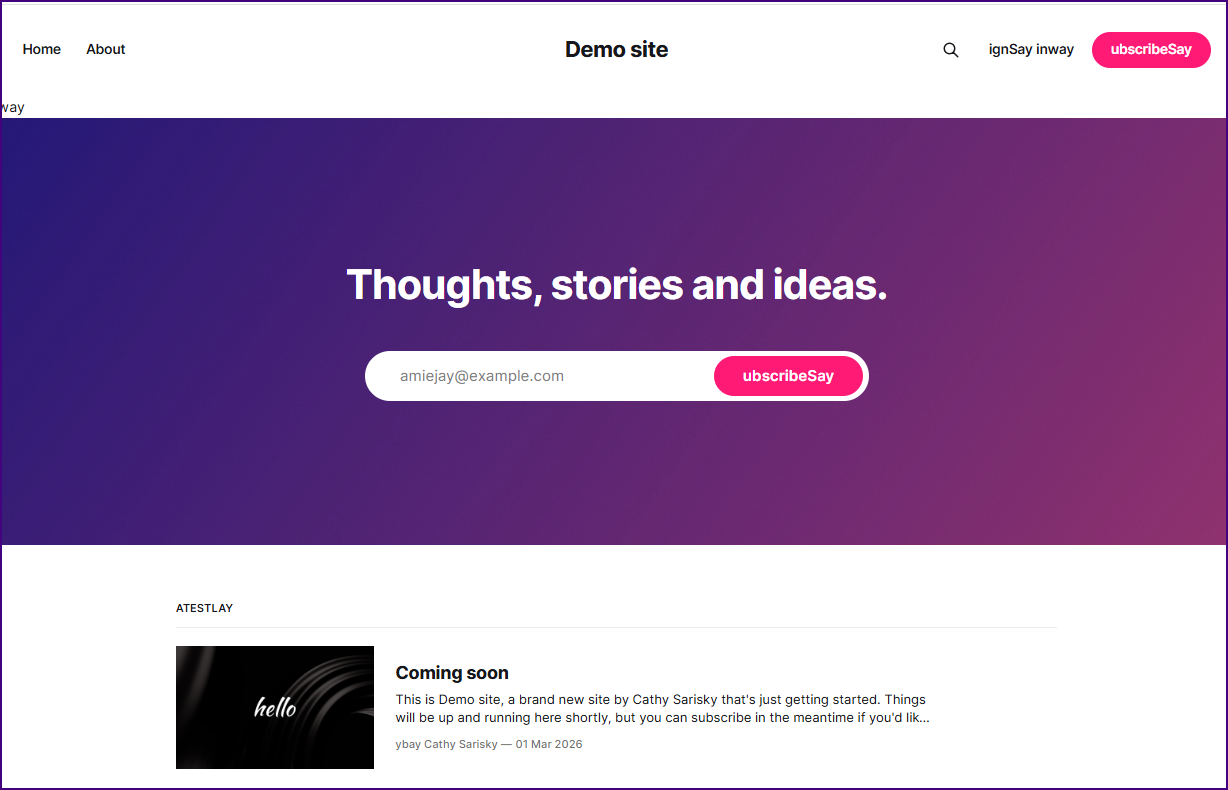
Want the "Subscribe" button to say "Sign up, yo"? Here's the options.

Table of Contents
I've posted previously about the challenges of maintaining a theme that autodeploys to dozens of sites, and how do we let users customize the text sidewide in that situation? The TL;DR: I don't want to make a custom copy of the theme for each of my Tiny News clients just so I can change a couple strings, because that theme is under active development, and GitHub deployment is the only thing that keeps me sane.
But before we get into the weird hacks that might fix my edge case, let's review somewhat more-sane options that will mostly work, for most users:
The right ways, for most users:
Let me lead off with several options, just in case you don't know about them. Most users need one of these solutions.
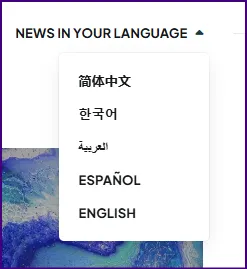
Option #0: Do you just want your theme translated?
If you're wanting to have your site in a different language, you might just be able to set the language in /ghost > settings > Publication language. Note that official themes are still not translatable. There's an update on this at the end of the post. Whether this works (or just moves you to option #2) depends on whether there are strings available for your theme, in your language.
Option #1: Check your custom theme settings
Many themes offer a couple custom strings. Check your theme documentation, or check in /ghost > settings > design & branding (click customize) > theme tab (right side of page). For example, Source lets you change the newsletter subscribe box text on the homepage.
Option #2: Edit the theme directly
Look through the theme files and find the strings you want to replace, and replace them. This means downloading it, unzipping it (with whatever tools you already have), editing it (you can grab a code editor, but just notepad will work), zipping it again, and uploading it.
Option #3: Take advantage of translations functionality
If your theme is already set up for translations (official themes are NOT... yet), download and unzip the theme (links above), but then edit locales/en.json to set the strings.
Note that neither option above will let you change text that's within Portal (but see this for a starting point), Comments, or Search. Neither will these.
Weird and hack-y solutions
Option #4: Mis-use translations functionality
I wrote about this previously, where basically we append a site code to the translation strings, allowing one en.json to serve all the (English-language) sites, with any language customizations included.
 Cathy Sarisky, Ghost Expert
Option #5: block, contentFor, and #split.
The approach below allows you to put all your string overrides into a custom theme variable (yes, just one). It's going to be the custom variable of doom, but it works.
Add the variable to the theme's package.json:
    "config": {
        "custom": {
            "translation_key": {
                "type": "text",
                "description": "See documentation for how to use this"
            }
        }
    }
(You probably already have a config.custom section. Just add the middle three lines if so.)
Add two new partials (in the theme's partials folder)
{{!-- tr-adapter.hbs --}}
{{#split @custom.translation_key separator="//"}}
   {{#foreach this}}
   {{#split this separator=":"}}
      {{#contentFor this.[0]}}{{this.[1]}}{{/contentFor}}
   {{/split}}
   {{/foreach}}
{{/split}}


{{!-- tr.hbs --}}
{{#if (block string)}}
   {{{block string}}}
{{else}}
   {{t string}}
{{/if}}
Be sure to admire the use of the #split helper here. I contributed that.
What are we doing here?? The tr-adapter partial loops through the custom variable that contains all the translations, creating a #contentFor section for each one. That section has the translation key as the key for contentFor, and the content is the translated/customized string.
The partner of #contentFor is block. Block retrieves the content you added with contentFor. So in the tr partial, we check to see if the block has a value. If it does, we use that. If it doesn't, we fall back to the key, which I'm still passing into the built-in t helper, to retain the built in theme translation support, if any.
Wrap your customizable strings
Every "top-level' .hbs file needs {{> tr-adapter}} right below {{!< default }. (For most themes, that means home.hbs, index.hbs, post.hbs, page.hbs, author.hbs, tag.hbs, plus any custom-some-name-here.hbs files if you have custom templates.)
Then, throughout the theme, you'll want to find the strings that should be customizable, and feed them into the tr partial.
Old: Subscribe or {{t Subscribe}}
New: {{> tr string="Subscribe"}}
(This, by the way, is one of those jobs you can turn your LLM code assistant loose on, and expect it to get it pretty much right.)
Note: Some strings go into the t helper with variables that should be passed in. It's at least mostly possible to make this happen (you'd just pass all possible values into tr, and then pass all possible values into t) but I didn't go there for this example, because the theme I was working on didn't have any variables in use.
Get the work above live on your site.
If running locally, reboot to get the changes picked up. If deploying to hosting, use whatever method (GitHub actions? Zip and upload?) you usually use.
Add customizable strings in design & branding
The format for the translation_key variable is like this:
Subscribe:Sign up, yo!//Account:Manage your membership//posts:articlesNo leading or trailing spaces. Separate old from new value with a : (which means you can't have a : within them, but feel free to swap out the separator if you need to), and separate each entry with //.
And that's it. You can now customize any strings you wrapped in the tr partial, just by changing your custom theme variable.
But wait! Is this really the right way to do it?
It would be cool if it were possible to separately upload an overrides.json file from within the Ghost dashboard, without needing to edit the whole theme. It would be even cooler if those overrides also adjusted the Portal, Comments, and Search apps.
But none of that's possible today, so there you have it.
Aside: Official theme translation updates
The i18next work that was nominally a blocker for official theme translations is merged. (I donated it.) Now we're waiting on various other prerequisites before we can really kick off a theme string wrapping and translation project. It's coming. No, I don't know how soon. Right now I'm blocked on a combination of the fact that I don't have any funding to do it anyway, the core team wanting to review some of the work necessary to enable theme translations at scale but this not being a priority, and my needing either permissions necessary to actually trigger a release of a theme or someone on the dev team being willing to take requests for releases from me. I'm still hoping we'll have translatable & translated official themes at some point in 2026. Meanwhile, if you're on Ghost Pro's Starter plan and need your theme in a language other than English right now, consider Magic Pages, which offers a substantially less-limited Ghost hosting plan at the same price point.
Seen around the web
Cool stuff I didn't do, but wish I had.




 vlavrynovych
Nice option if your theme doesn't include a table of contents already!

This tool from Murat of Synaps Media offers an alternative to the built-in YouTube card.
And one thing I did build, that you might be interested in:
 Cathy Sarisky, Ghost Expert


Hey, before you go... If your finances allow you to keep this tea-drinking ghost and the freelancer behind her supplied with our hot beverage of choice, we'd both appreciate it!