 Spectral Web Services
I accidentally built an image library for Ghost
It all started with a client problem.

I was chatting with a staff member from a newsroom moving from WP to Ghost. She said something off-hand about not having found the Ghost image library yet, and that was when she realized there wasn't one. Her face fell. It was clear that she thought this was a major disaster. That they'd failed to ask if there was an image library, because why wouldn't there be? That they wouldn't have chosen to move to Ghost, knowing this.
Yikes.
We'd been working on moving this site for a while. The content was moved, with multiple rounds of revisions for hard-to-move bits, manual editing, and a bunch of code. I'd implemented advanced search, a republish tracker, and a bunch of other customizations. Oh, and did I mention the Paypal integration, and a sync with Little Green Light? A lot of work had gone into this site.
While trying to save the day, I suggested that she could search with the new advanced search widget (since we'd already indexed her content), and while it didn't exclusively search captions, the search did include captions, and maybe it'd be a good stopgap. We tried it, and it sort of worked, but of course the caption probably doesn't tell you that a picture is of a cornfield specifically, and their alt text (which would have made cornfields searchable) was spotty at best.
I thought about that a little more, and why not have an index with just the image data? If you're already handling all the content parsing and sync for post content, what's capturing a few image urls, captions, and alt text? I got from that to a first working version pretty quickly:
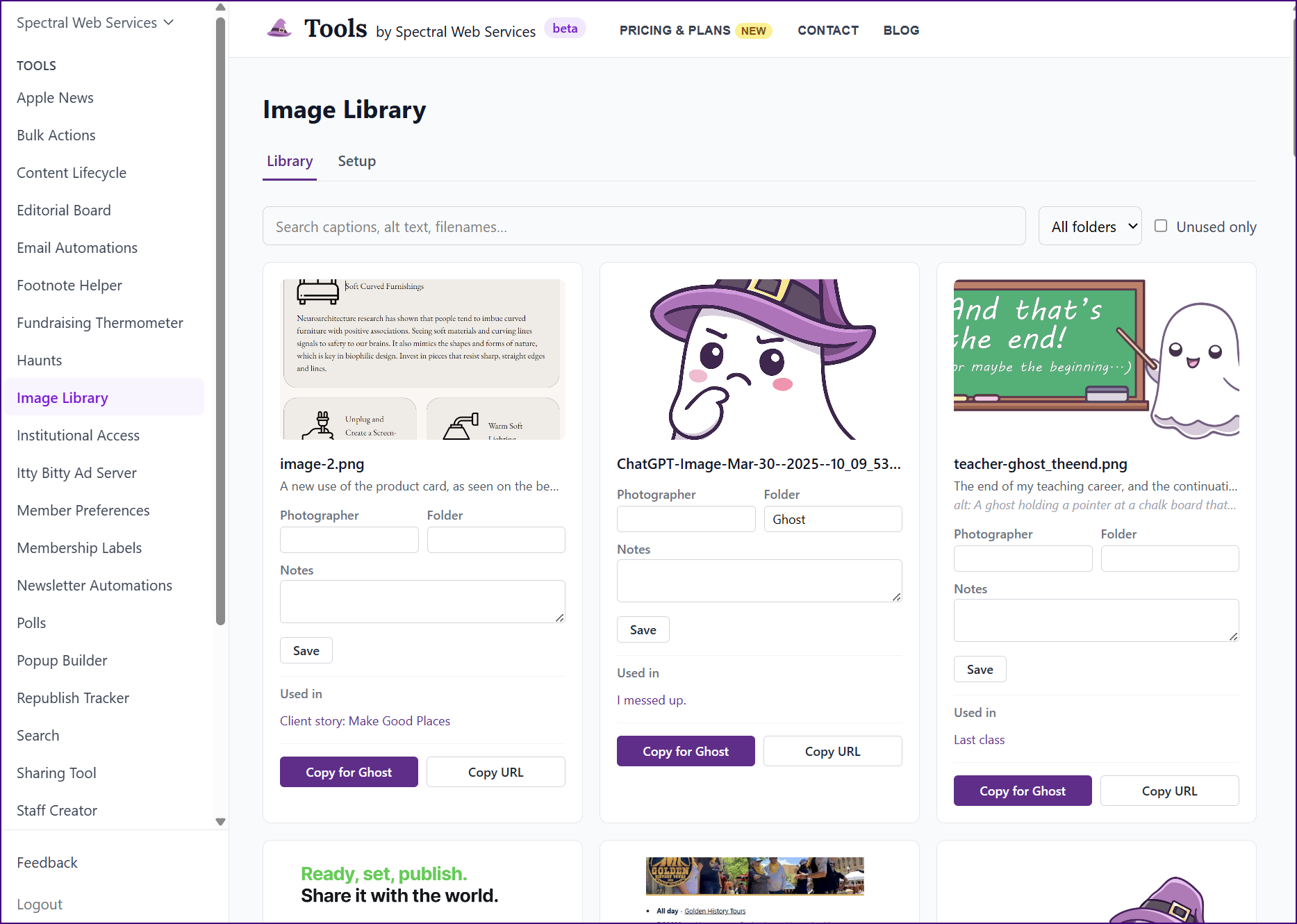
Loading content into Algolia also gave me a chance to add a couple extra fields, so that the team could track photographer and some searchable notes ("cornfield"). And you can see the leading edge of what can eventually be a folder organization system for photos.
Those of you who've had small children in your lives in the last few decades probably remember "If you give a mouse a cookie", in which a small request for a cookie spirals out of control. I got to the screenshot above in a couple hours, since almost everything I needed already existed in my advanced search package. And then things got a little out of control.
First off, my site's been online for years, and like most Ghost users, when I need an image, I upload it again. And again. Sometimes even more than once per post. So, for the tool to be useful for existing sites, some deduplication was necessary. Here's the dedupe tool in action, using file names to propose likely duplicates. There's also a manual option to select images and mark them as the same.
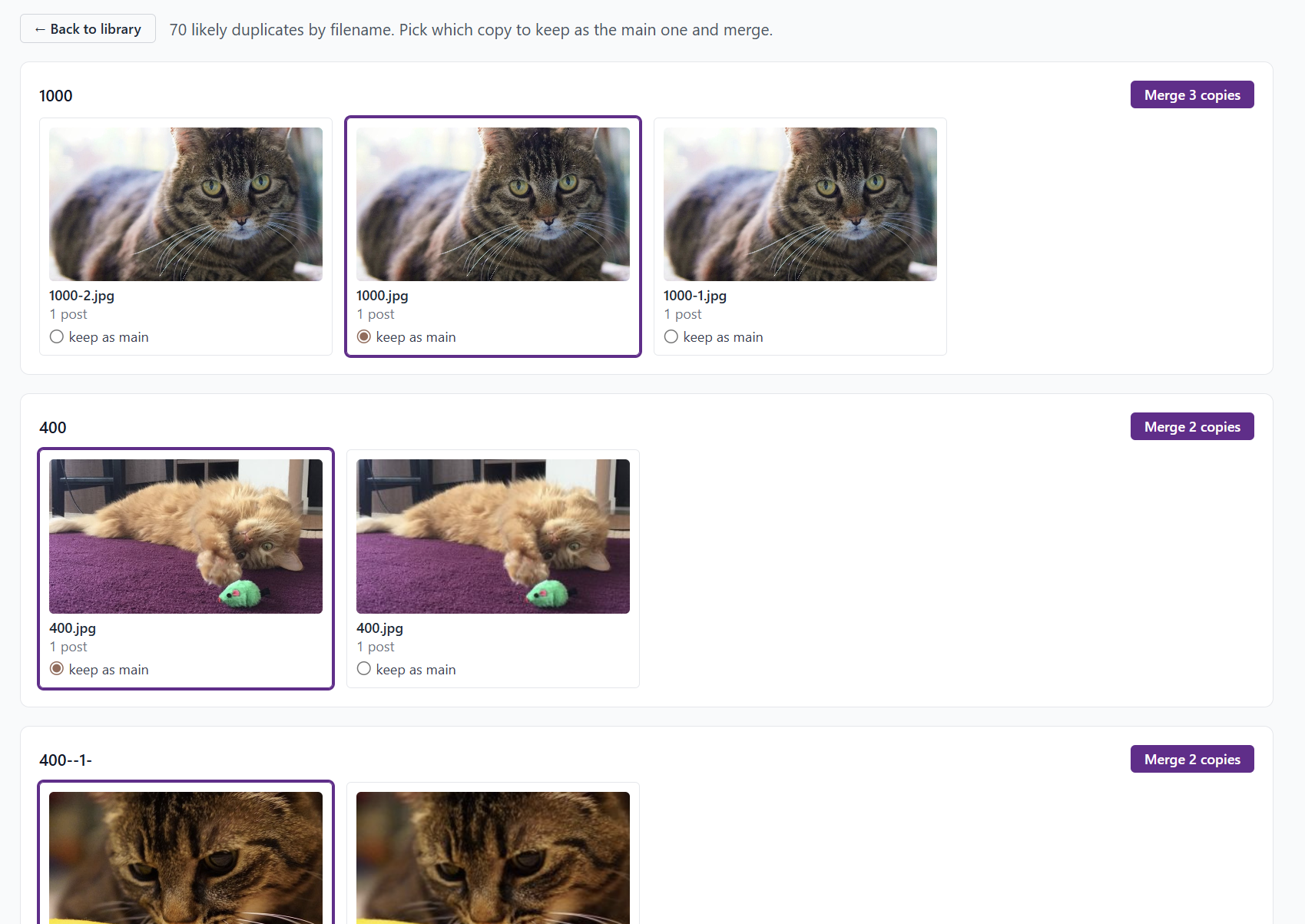
The dedupe tool doesn't do anything to the images on Ghost, but it collapses their appearance on the main image library page, making scanning through the images and updating metadata much more reasonable.
Of course, at the point where you have an image library with searchable captions and alt text, then you notice that you are missing a lot of alt text. So it'd be nice if the tool would let you fix it, right? So I built that. It wouldn't have been all that complicated, except that I had just collapsed all those duplicates, so that made the dashboard look great and at the cost of everything being slightly more complex under the hood. And although some types of images in Ghost (i.e. in the image card) can have alt text, others cannot. (Looking at you, product card!) And of course, I'm parsing Lexical, because parsing html is lossy. (The Apple News integration work pays off in unexpected ways. I'm now really good at parsing Lexical.)
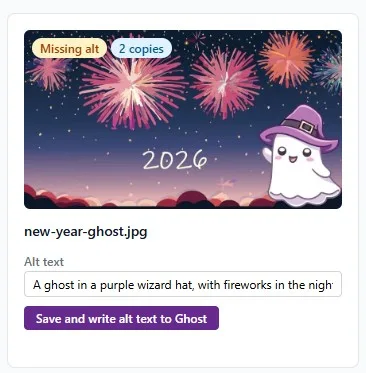
And back to different cards with images. Having only a copy button for images wasn't really enough, because what if you wanted the image in a product card, or header, or whatever? So the button needed a dropdown. That's right, the copy button doesn't just copy the image. It puts a whole Ghost card on the clipboard, so that you can paste in the image with caption and alt text already populated. Want your image in a sign up card? No problem.
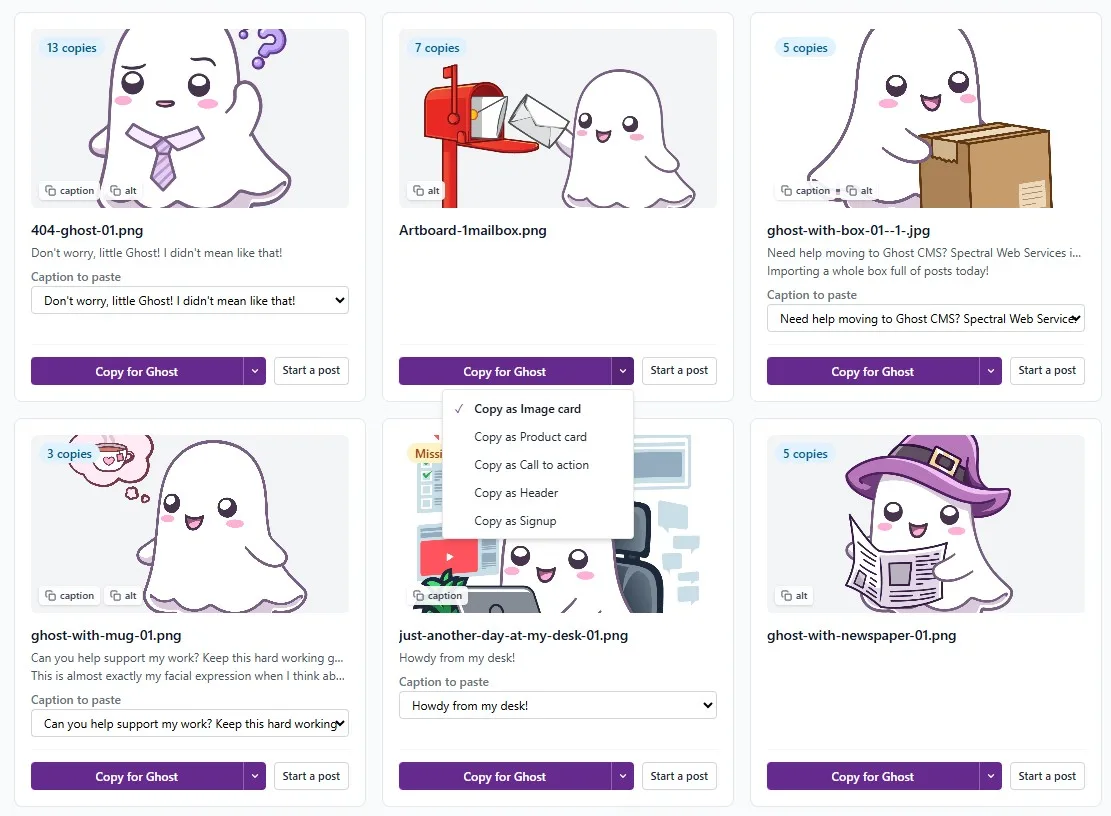
And somewhere in there, the cards got too complicated, so now there are separate modes (with different card fields visible) for using, fixing accessibility, or organizing photos.
Oh, and the user might want to load the images into Image Library first, rather than waiting for the sync to add the metadata. So I added an upload button (stolen from the popup builder for Ghost).
And of course, having an image manager with all the images on the site makes it pretty easy to see what images are not loading. So then I added an image replacer, for the situation where an embedded logo on dozens of posts that was hotloading from a partner's website could be replaced when it went AWOL.
And yeah. That's how it went.

If you'd like to try out the Image Library, you can find it (and a ton of other useful tools) over at the Spectral Web Services toolbox.